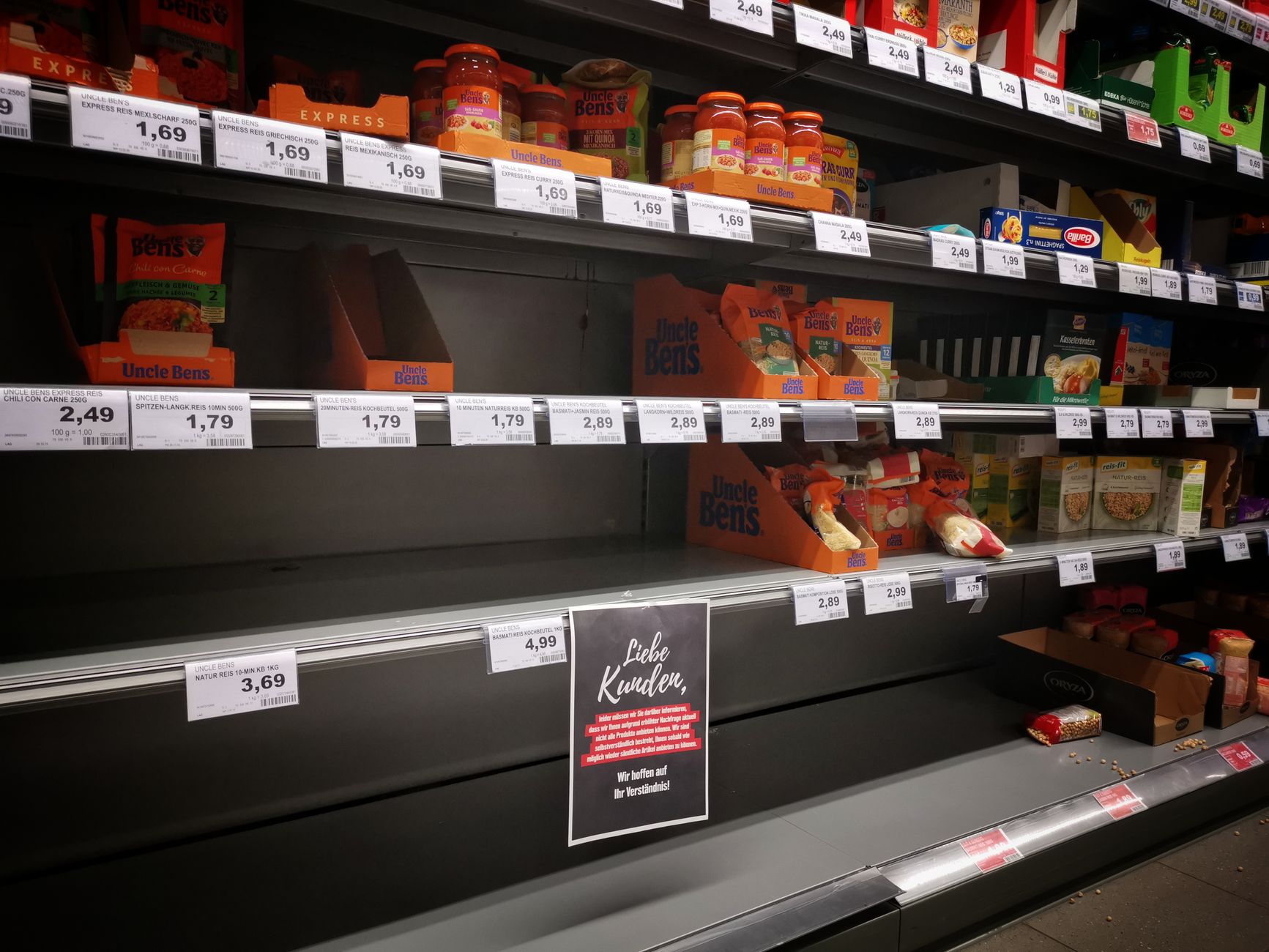
You can connect Meta Ads to ChatGPT or Claude in about two minutes with Meta’s official Ads MCP connector, and ask it to pause any campaign. What it cannot tell you is which campaigns are pointing at products that just sold out, because it cannot see your store. This guide covers both halves: how to connect Meta Ads to ChatGPT or Claude, and how to make the out-of-stock pause happen automatically.
Ads pointing at out-of-stock products burn budget on clicks that cannot convert — and the fix is one of three things: a manual stock-vs-ads audit (free, but you have to remember), feed and inventory rules in your ad platform (automatic, but narrow), or an agent that cross-checks inventory against active campaigns and pauses the misfires for you. This is one of the clearest jobs for e-commerce autopilot, because the leak is invisible from inside any single tool: the ad platform doesn’t know your stock, and your store doesn’t know your ads.
Why this leak is so common
Nobody decides to advertise a sold-out product. It happens in the gap between systems:
- Your store knows the product sold out at 2 p.m. Tuesday.
- Your ad account knows nothing — the campaign keeps optimizing, spending, and sending traffic to a page that can’t sell.
- You find out whenever you next cross-reference the two by hand. For most founders, that’s somewhere between “days” and “at the monthly review.”
Every hour in that gap is pure waste: full click costs, zero possible revenue. Worse, the landing experience (a dead or “sold out” page) drags down quality scores and pixel data, so the damage outlasts the restock. And if the sold-out product was a bestseller, you’re often paying to advertise it while wondering why sales dropped.
Fix 1: The manual audit (free, fragile)
Once a week, export your active ads and shopping products, list every destination product, and check stock on each. Pause anything sold out; note anything low-stock for the next check.
It works, and it’s worth doing once right now just to size your leak — most stores find at least one misfire on the first pass. But as a system it fails on the only dimension that matters: the leak reopens the moment a product sells out on a Tuesday afternoon, and your audit is Sunday.
Fix 2: Platform rules and feed settings (automatic, narrow)
Both major platforms can help — partially:
- Google Shopping / Performance Max: your product feed carries availability; sold-out items drop out of Shopping ads once the feed syncs. Mind the sync lag (up to a day on some setups) — and remember feed availability does nothing for search ads or display campaigns pointing at product URLs.
- Meta catalog ads: same story — catalog availability rules cover dynamic catalog ads, not regular link ads a human pointed at a product page.
- Scripts and automated rules can pause on conditions like “conversions = 0 over N days” — a proxy that fires days late and also catches perfectly healthy slow movers.
Rules are worth switching on. Their shared blind spot: they only see their own platform, only their own ad formats, and they know availability — not why — so nothing tells your ads about tomorrow’s restock, and nothing watches the campaigns outside the catalog system.
Fix 3: An agent that watches both sides (the autopilot answer)
The actual shape of the problem is cross-system: inventory lives in Shopify, WooCommerce, or Shopware; spend lives in Google and Meta. So the durable fix is a watcher connected to both:
- Detect — continuously cross-reference active campaigns, ad destinations, and live stock across every store and ad account.
- Decide — distinguish “sold out, restock unknown → pause now” from “low stock, restocking Friday → leave it, flag it.”
- Act — pause the misfiring campaigns or ads.
- Approve — anything touching live spend shows up as a one-tap approval with the reasoning attached, unless you’ve deliberately put this exact workflow on hands-off. (It’s a classic first candidate for full autopilot: low risk, obviously correct, annoying to do by hand.)
Same loop in reverse on restock day: the agent notices stock is back and proposes resuming what it paused — the half of the job every manual process forgets.
Connect Meta Ads to ChatGPT or Claude: the official connector
Since April 2026 Meta ships its own Ads AI Connectors: a hosted MCP server at https://mcp.facebook.com/ads and a CLI. You add it as a custom connector in Claude (Settings, then Connectors) or in ChatGPT (developer mode, then Connectors), sign in with your Facebook Business account, and it is connected. It is free during the open beta, and it reads and writes: reporting and insights, campaign management, catalog operations, account and pixel diagnostics, 29 tools in all. If you searched for how to connect Facebook Ads to ChatGPT or Claude, this is now the default answer, and it is a good one.
What it gives you for this problem: “Which ad sets spent the most this week with no purchases?” and “Pause ad set X” both work. What it does not give you: any idea of your stock. The connector sees Meta and only Meta. It cannot tell you that the ad set’s product sold out on Tuesday, and it only acts when you ask, so you are still the one who has to remember to check. Google’s official Google Ads MCP has exactly the same shape and the same blind spot. Connecting Google Ads to ChatGPT or Claude gets you reports and pauses on request, not a watch.
Connect Meta Ads and your store to the same assistant
datavessel’s MCP connector carries Meta Ads in the same catalog as your store: insights per account, campaign, ad set and ad, per-product spend from catalog ads, pause and resume at every level, and budgets, next to live inventory from Shopify, Shopware or WooCommerce, your Google Ads account and your Merchant Center feed. Same URL in either assistant: https://mcp.datavessel.io/mcp. The setup is the same two minutes as connecting the store itself: ChatGPT and Shopify, ChatGPT and Shopware, ChatGPT and WooCommerce, or connect Claude to your store.
With both sides in one conversation, the question that matters finally has an answer: “Which Meta ad sets are sending traffic to products with fewer than five units left?” The assistant reads live stock from the store and live delivery from Meta, lists the misfires, and proposes the pauses. Each pause waits for your tap, on web or mobile, and lands in the ledger with the reasoning attached.
Then take it out of chat. The same tools power a scheduled watch inside datavessel: it cross-checks inventory against active campaigns on a clock or on a stock webhook, proposes pauses when something sells out, and proposes resuming when stock returns. That is the part connecting Meta Ads to ChatGPT alone never does, because a chat only runs while you are typing.
| For stopping ads to out-of-stock products | Meta’s official Ads MCP | datavessel |
|---|---|---|
| Connects to ChatGPT and Claude | Yes | Yes |
| Sees Meta campaigns, ad sets and ads | Yes, 29 tools | Yes, 18 tools |
| Sees your store’s live inventory | No | Yes: Shopify, Shopware, WooCommerce |
| Sees Google Ads and Merchant Center too | No | Yes |
| Pauses on a schedule or a stock webhook | No, only when asked | Yes |
| Approvals and ledger | In-chat confirmation only | Approval queue on web and mobile, full ledger |
| Resumes on restock | Only if you ask | Proposed automatically |
| Many stores or client accounts | One account at a time | One connector, isolated per client |
| Cost | Free in open beta | Free for one store |
Connect Meta Ads to Claude or ChatGPT through datavessel: step by step
- Sign in at app.datavessel.io and open Connectors. Under Ads and Shopping choose Meta Ads and sign in with the Meta account that manages the ad account. It is a standard Facebook Login: no developer account, no app of your own, no system-user token. Pick the ad accounts to expose and link each one to the store it advertises, so spend sits next to that store’s stock. Revoke the access from your Facebook settings at any time.
- Add the connector. Claude Desktop: Settings, then Connectors, add a custom connector with
https://mcp.datavessel.io/mcpand sign in. Claude Code: the same URL as an MCP server. ChatGPT desktop: developer mode under Settings, then Connectors, the same URL. - Ask. “Which Meta ad sets are sending traffic to products with fewer than five units left?” The assistant reads the ad sets from Meta and the stock from the store, lists the misfires and proposes the pauses. Each pause waits for your approval.
What the connection carries, as of October 2026: 18 tools, 13 reads and 5 writes. The reads cover ad accounts, campaigns, ad sets and ads, insights at every level with breakdowns, and per-product performance from catalog ads. The writes are pause or resume for a campaign, an ad set or an ad, and a budget change for a campaign or an ad set; nothing else can be changed through datavessel. Pauses follow the policy you set per agent. Budget changes always wait for a person, even on an agent you have put on autopilot, because a wrong budget keeps spending until someone notices. Any ad account can connect: Meta reviewed and approved the app in October 2026.
Prevent the leak from reopening
Whichever fix you choose, three habits keep the gap closed:
- Watch your top sellers hardest. The expensive version of this leak is always a bestseller — highest ad spend meets fastest sellout.
- Treat “low stock” as an ads signal, not just a purchasing one. The best time to slow a campaign is before the sellout, not after.
- Check the whole stack, not just Shopping. Search ads, display, and social link ads pointing at product URLs are exactly the formats feed rules never cover.
Frequently asked questions
Why are my ads still showing an out-of-stock product?
Because your ad platform doesn’t know your stock. Feeds sync availability with a lag and only cover catalog/Shopping formats — search, display, and social link ads pointed at product URLs keep running until something that can see both systems pauses them.
Does Google automatically stop ads for out-of-stock products?
Only partially: Shopping and Performance Max drop items when the product feed updates (with sync lag, sometimes up to a day). Search and display campaigns pointing at product pages are never paused automatically.
How do I pause ads when a product sells out on Shopify, WooCommerce, or Shopware?
Three options in rising order of coverage: a weekly manual stock-vs-ads audit, your platform’s feed availability rules, or a cross-system watcher that checks live inventory against every active campaign and pauses misfires — then proposes resuming them on restock.
How much money do out-of-stock ads actually waste?
Every click is full price for zero possible conversion — and the damage compounds: sold-out landing pages degrade quality scores and pixel data past the restock. Most stores find at least one live misfire on their first audit.
How do I stop Meta from spending on products that have been out of stock for weeks?
Pause the ad sets and ads that point at them, and stop relying on catalog availability alone. Catalog rules only cover dynamic catalog ads and follow the feed with a lag; regular link ads keep running. A watcher connected to both the store and Meta finds every ad pointing at a sold-out product, pauses them with your approval, and checks again on schedule, so the weeks never happen.
How do I automatically pause Meta ads for out-of-stock size variants?
Variant-level stock is where feed rules fail hardest: the parent product still reads in stock while size M is gone. The watch has to read variant inventory from the store, not availability from the feed, and match it against the ads and catalog items actually being delivered. datavessel reads variant stock directly from Shopify, Shopware or WooCommerce, so a sold-out size can pause its ad while the other sizes keep running.
Can I exclude seasonal or off-season products from Meta catalog ads automatically?
Yes, if the rule lives outside Meta. Tag the seasonal products in your store, as a tag, a collection or a category, and let the watch treat the tag as an exclusion signal alongside stock. The same run that pauses sold-out items pauses off-season ones and proposes bringing them back when the season, or the stock, returns.
How do I get alerted when my Meta catalog feed breaks and starts serving out-of-stock products?
Watch the outcome, not the feed. A scheduled check that compares what Meta is delivering against what the store says is in stock catches a broken feed within one run, whatever broke it, and posts the alert to Slack or your inbox with the affected products listed. Feed disapprovals on the Google side surface the same way through Merchant Center.
My product has been out of stock in Shopify for three days and Meta is still promoting it. Why?
Three usual causes: the catalog feed syncs on a delay, the availability rule only covers dynamic catalog ads while the running ad is a link ad, or the product is out of stock at the variant level while the parent still reads in stock. A cross-system check answers which one in a single question, and pauses the ad while you fix the root cause.
How do I bring a product back into Meta ads once it is restocked?
This is the half every manual process forgets. A watcher that paused an ad set records why it did, and when the store shows stock again it proposes resuming that exact ad set. You approve the resume the same way you approved the pause.
Last month 35% of my catalog ad budget went to out-of-stock products. How do I prevent that?
First, run the audit above once more to size it. Then move the check from monthly to hourly by putting it on a schedule connected to both systems, and set the approval altitude: propose-first while you build trust, hands-off once the decisions are boring. A third of catalog spend is usually the single biggest recoverable line in the account.
Can an agency do this across many client stores and ad accounts?
Yes. One connector carries every client’s store and ad account, with data isolated per client and a ledger per store, so the same watch runs for twenty clients and each approval goes to the right person. The operations pattern is in manage multiple Shopify stores.
Do I need a developer account or my own Meta app to connect Meta Ads?
No. You sign in with the Meta account that manages the ad account through a standard Facebook Login and choose the ad accounts to expose. Meta reviewed and approved datavessel’s ads permissions in October 2026, so any ad account can connect, and the access can be revoked from your Facebook settings at any time. Meta’s own Ads MCP connector is the other route, and both can be connected to the same assistant.
The bottom line
Run the manual audit once today — it tells you what the leak costs. Turn on your platforms’ availability rules — they close part of the gap for free. And if the audit found real money, put a cross-system watcher on the job so the gap stays closed on Tuesday afternoons, not just audit Sundays.
Watch an agent catch paid traffic pointed at a dead page — and pause it with one tap: see it live →
Leave a Reply