
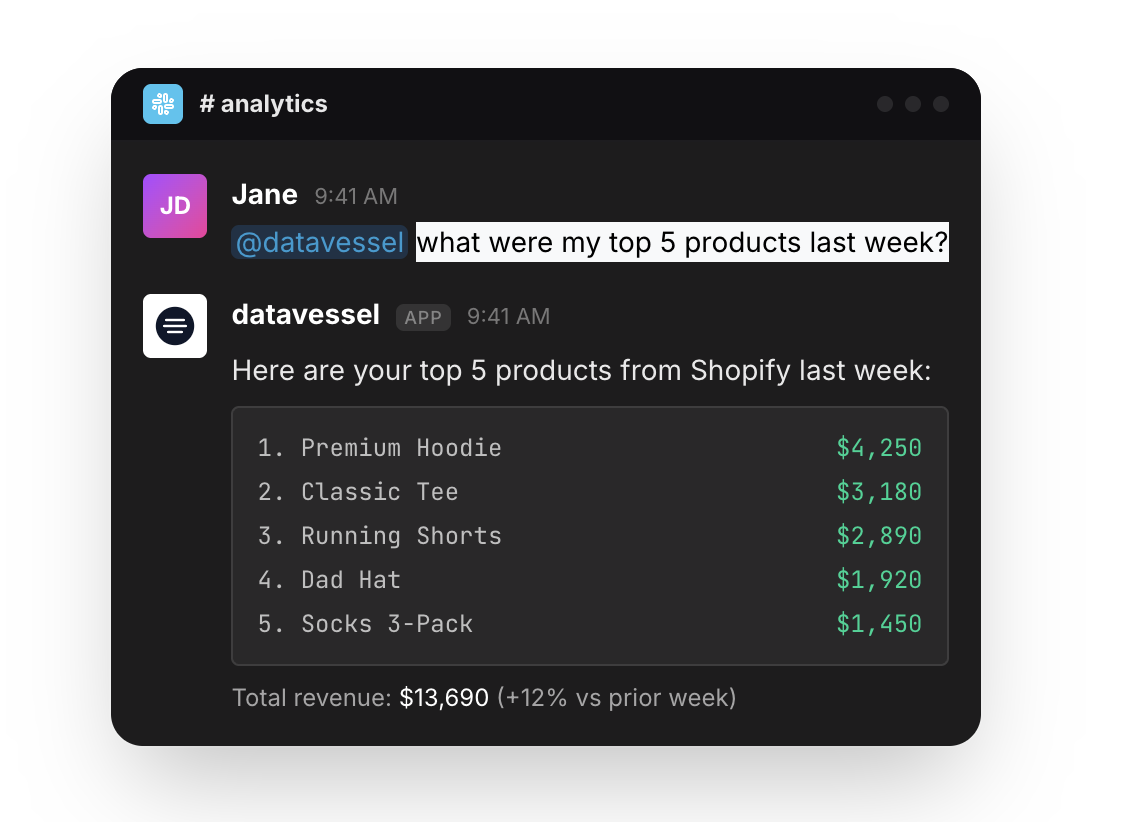
TL;DR: datavessel is now Slack-native. Query your analytics, ecommerce, and SEO data by @mentioning the bot. Schedule reports, generate PDFs, check connections—all without leaving Slack. Your team already lives there. Your data should too.
We’ve rebuilt datavessel around a simple idea: your team already lives in Slack. Your data insights should live there too.
No more switching to dashboards. No more logging into separate tools. Just @mention datavessel in any channel and ask what you need to know.
What Changed
Before, datavessel was an e-commerce monitoring tool that happened to send alerts to Slack.
Now, datavessel is Slack. The bot is your interface. Ask questions in plain English, get answers instantly, schedule reports—all from the same place you’re already coordinating with your team.
How It Works
Just @mention the bot with your question:
| What You Want | What You Type |
|---|---|
| Ask a question | @datavessel what were my top products last week? |
| Generate a report | @datavessel generate an SEO report for this month |
| Schedule alerts | @datavessel schedule daily revenue alerts at 9am |
| Check connections | @datavessel which sources are connected? |
Follow-up questions? Just reply in the thread—no @mention needed. The bot remembers context.
Private DMs
Not everything belongs in a team channel. You can DM the bot directly for:
- Private queries — Check numbers without sharing with the whole team
- Credential management — Set up API keys securely
- Natural conversation — No @mention needed in DMs, just type
Set Up Your LLM Keys in Slack
You can configure everything without touching a web dashboard. DM the bot:
set my openai key to sk-proj-xxx
The bot confirms: “✅ Your OpenAI API key has been saved and activated!”
We support OpenAI, Anthropic (Claude), and Gemini (Google). Bring your own keys—your credentials stay encrypted, and you control your usage.
What You Can Do
The full datavessel agent platform is now accessible from Slack:
- Query analytics — Google Analytics, Search Console, Shopify, WooCommerce
- Generate reports — PDF reports delivered right in the channel
- Schedule agents — Daily, weekly, or custom schedules
- Manage schedules — Pause, resume, or list your automated reports
- Check status — See connected sources, API key status, usage limits
Everything you could do in the web app, you can now do with a message.
Built for Small Teams
We built this for teams that don’t have time to check dashboards. Teams where everyone wears multiple hats. Teams that need answers fast, not another tool to learn.
The workflow is simple:
- Connect your data sources (once)
- Add your LLM key (once)
- @mention when you need something
No training required. If you can ask a question, you can use datavessel.
You Own Your Data
Bring your own LLM keys. We don’t store your data—we query it on demand and return answers. Your credentials are encrypted. You control what’s connected and what gets queried.
This isn’t a black box that holds your data hostage. It’s a tool that works for you, on your terms.
Pricing
We’ve restructured pricing around team size:
| Plan | Price | Best For |
|---|---|---|
| Free | $0 | Solo founders testing the waters |
| Starter | $29/mo | Small teams |
| Professional | $79/mo | Growing teams |
| Agency | $199/mo | Agencies & consultants |
Get Started
Add datavessel to your Slack workspace. Connect your data sources. Set your LLM key. Start asking.
Your team already lives in Slack. Now your data does too.
Leave a Reply