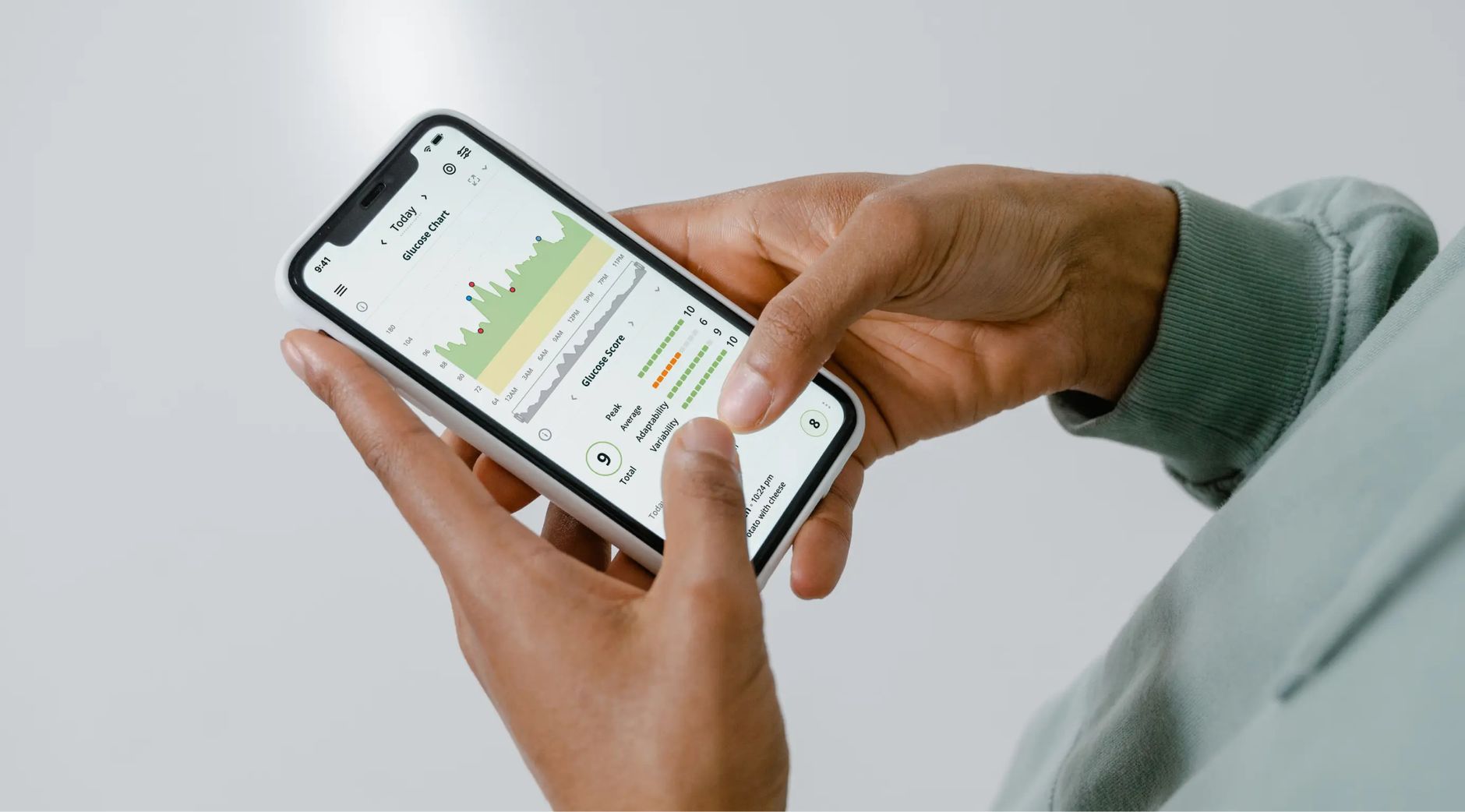
The datavessel Android app is now available on Google Play. You can download it today and keep your Analyze → Run → Track loop moving from anywhere.
This release is more than a new platform. It is the fulfillment of the promise behind datavessel: your data tools should not stop at dashboards. They should help you understand what is happening, do something about it, and keep watch over what changes next.
With datavessel on Android, your agents, approvals, reports, and connected data workflows are no longer tied to your desk.
Download datavessel on Google Play
The datavessel Android app is now on Google Play
datavessel connects sources like Google Analytics 4, Search Console, Shopify, Shopware, Slack, WordPress, and more as typed tools. That means you can ask questions, run actions, and track changes across your data stack from one place.
The Android app brings that same command center to your phone. If you already use datavessel, it gives you a faster way to stay close to agent runs and approvals. If you are new, you can start from the main landing page, connect a source, and begin working with your data in minutes.
Why mobile matters for AI agents
AI agents are most valuable when they reduce the distance between insight and action. A scheduled agent can notice a change, prepare a recommendation, and suggest the next step. But many real workflows still need human judgment at the exact moment an action is about to happen.
That is why datavessel supports both autopilot and approval-gated work.
- Reads flow freely, so agents can analyze data, produce reports, and monitor changes.
- Writes can pause for approval, so actions like publishing a page, updating a product, creating a discount, or posting to Slack only happen when you allow them.
- Autopilot is available when you trust the workflow, so scheduled agents can run unattended where appropriate.
On desktop, that gives teams control. On Android, it becomes practical in the moments when timing matters. If an agent needs approval while you are away from your laptop, you can review the action from your phone and keep the workflow moving.
Fulfilling the promise: Analyze → Run → Track
Everything in datavessel is built around one loop: Analyze → Run → Track. The Android release is another surface for that same loop, not a separate product or a disconnected companion app.
Analyze: ask questions of your connected data
datavessel lets you connect your sources and ask questions in plain English. Instead of opening several dashboards, exporting reports, or switching between admin panels, you can ask what changed and get an answer grounded in the real data.
For example, you can ask about organic search performance from Search Console, store performance from Shopify, traffic from GA4, or recent team context from Slack. The goal is not to replace your data sources. The goal is to make them easier to use together.
That matters because most business questions do not live inside one tool. A traffic change may connect to a content update. A revenue shift may connect to product availability. An SEO opportunity may turn into a WordPress draft. datavessel is designed to follow those threads across the tools you already use.
Run: act through tools, with control
Analysis is only useful if it can lead to action. datavessel exposes write tools where supported, so agents can help execute the next step after they identify what needs to happen.
That action might be small, like posting a summary to Slack. It might be operational, like creating a discount code or updating product copy. It might be content-focused, like drafting a blog post or preparing a landing page. The important part is that the workflow does not end with a recommendation sitting in a report.
The Android app makes these approval moments easier to handle. When a run pauses because it wants to make an external change, you can approve or deny it from your phone instead of waiting until you are back at your computer.
Track: keep watch over time
Some work should not depend on someone remembering to check a dashboard. datavessel agents can run on schedules, compare performance over time, and send concise reports when something moves.
That applies to analytics monitoring, ecommerce checks, SEO workflows, Slack-based team updates, and AEO visibility scans that track how answer engines like ChatGPT and Claude talk about your brand.
Mobile access makes that loop feel continuous. You can receive the signal, review the context, and decide what happens next without breaking your day.
Your agents, in your pocket
The Android launch is about reducing friction. When an agent finds a revenue anomaly, a search performance opportunity, a product issue, or a content task that needs approval, the next step should be easy.
With datavessel on Android, you can:
- Approve agent runs while away from your desk
- Ask questions about connected data sources
- Review proposed write actions before they happen
- Keep scheduled workflows moving
- Stay connected to analytics, ecommerce, SEO, AEO, and team-memory workflows
- Use the same Analyze → Run → Track command center from your phone
This is especially useful for teams using approval-gated automation. You can keep control without turning every action into a desktop-only task.
Built for bring-your-own-key AI workflows
datavessel is designed for teams that want control over their model, data, and spend. You can bring your own AI key and use the LLM of your choosing, including Claude, GPT, and Gemini depending on your setup.
The Android app fits into that same philosophy. It does not change how datavessel works. It gives you another way to access the same workflow when the moment calls for it.
Your model, your data, your tools, your approvals — now available from your phone.
What this release means for datavessel
Launching on Android is an important milestone because it makes datavessel more useful in the real world. Workflows do not wait for the perfect time. Reports finish while you are between meetings. Agents surface issues while you are traveling. Approval requests can appear when you are not sitting at a laptop.
The mobile app helps close that gap. It turns datavessel from something you check into something you can carry with you.
That is the core promise: connect the sources, understand the data, run the work, and track what changes — without forcing every decision back through a dashboard.
Download datavessel for Android
The datavessel Android app is available now on Google Play.
Download datavessel on Google Play
iOS is coming soon.
If you have not tried datavessel yet, visit the landing page to see how the Analyze → Run → Track loop connects your data stack, agents, approvals, and scheduled workflows in one place.
FAQ
Is datavessel available on Android?
Yes. The datavessel Android app is now available on Google Play.
What can I do in the datavessel Android app?
You can keep agent workflows moving from your phone, including asking questions of connected data, reviewing runs, and approving actions when needed.
Does datavessel still support approval-gated actions?
Yes. datavessel supports approval-gated writes and autopilot workflows. Reads can run freely, while external actions can pause for approval unless you choose to run trusted workflows on autopilot.
Where can I learn more?
Visit datavessel.io to learn more, or download the Android app directly from Google Play.
Leave a Reply