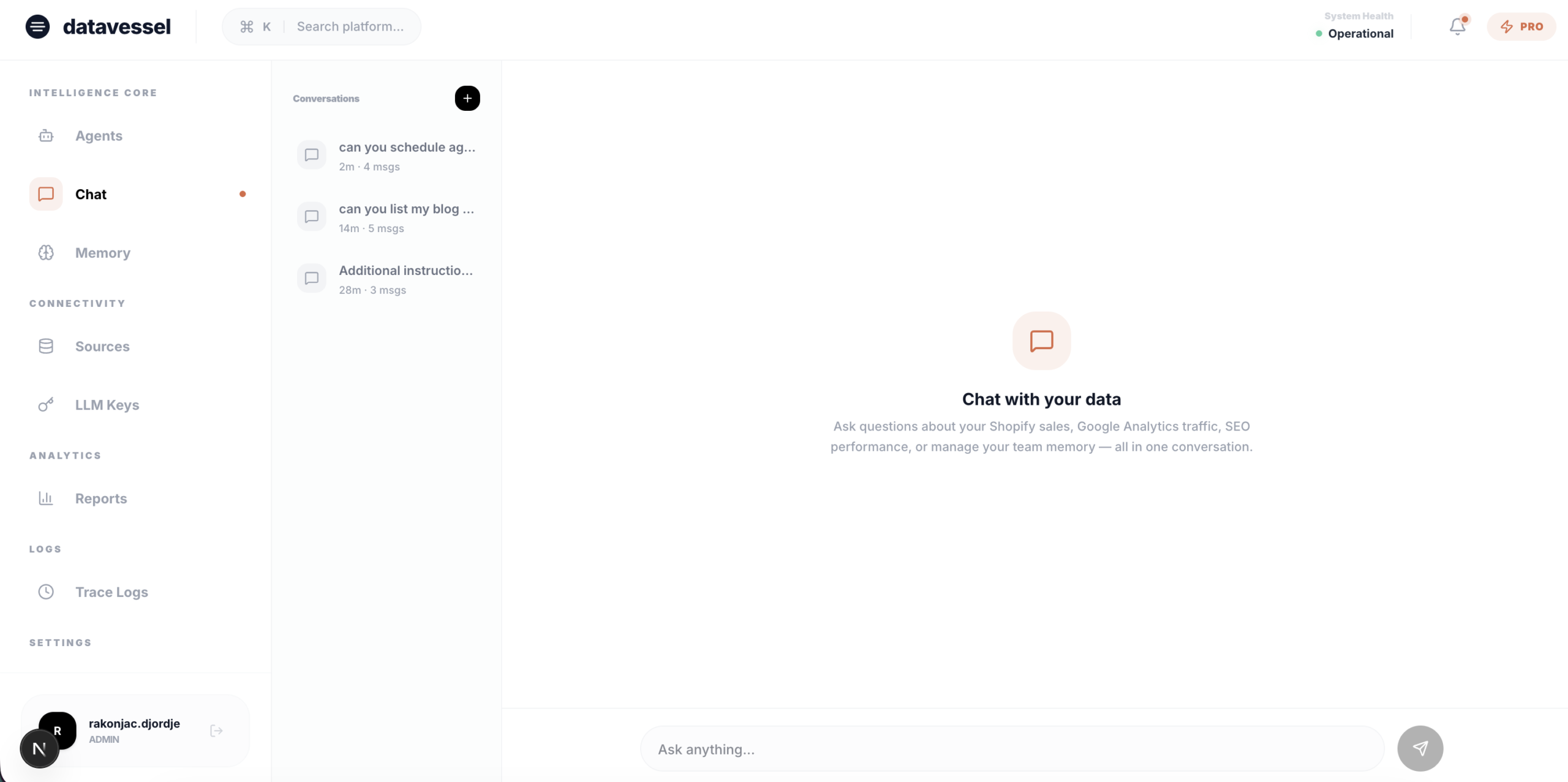
TL;DR: datavessel now has a chat interface built into the dashboard. Same AI agent, same tools, same capabilities as the Slack bot — but in your browser. No Slack required. Just open /chat and start asking.
We’ve been talking to users. One thing kept coming up: “I love what datavessel does, but my team doesn’t use Slack.”
Fair point. We built datavessel as Slack-native because that’s where most small teams coordinate. But not all of them. And even teams that do use Slack told us they sometimes want a dedicated interface for longer analytical sessions.
So we listened. Starting today, the full AI agent is available directly in the dashboard at /chat. Everything you can do in Slack, you can now do in the browser.
Everything the Slack Bot Can Do
This isn’t a limited version. The web chat has the same capabilities as the Slack bot:
- Query your data — “What were my top products last week?” “How’s organic traffic trending?”
- Generate reports — Full PDF reports from any connected source
- Manage memory — Save decisions, recall action items, update entries
- Check connections — See which sources are linked and what’s available
- Schedule agents — Set up automated reports and alerts
Every tool. Every integration. Every data source you’ve connected. All accessible from a chat window in your browser.
Built for Real Conversations
This isn’t a one-shot query box. It’s a full conversational interface:
- Multi-turn context — Ask a follow-up question. The agent remembers what you just discussed.
- Live thinking indicator — See exactly which tool the agent is calling while it works. No black box.
- Collapsible tool details — Expand any response to see what data the agent pulled and how it got the answer.
- Markdown rendering — Clean formatting for tables, lists, and code in every response.
Your Conversations, Saved
Every conversation is saved automatically. A sidebar shows your history — click any previous chat to pick up where you left off.
Start a conversation about revenue trends on Monday. Come back Thursday and continue from the same thread. No re-explaining context.
Why Not Just Use Slack?
Slack is great for teams. But there are moments when a browser is better:
- Quick queries — Open a tab, ask a question, get an answer. No switching apps.
- Private exploration — Dig into data without posting in a team channel.
- No Slack dependency — Teams that use Discord, Teams, or nothing at all can still use datavessel fully.
- Deeper sessions — Longer analytical conversations are easier in a dedicated interface than in a Slack thread.
Slack and web chat aren’t competing. They’re two surfaces for the same agent. Use whichever fits the moment.
Try It
The chat interface is live for all datavessel users. Log in and go to /chat.
Leave a Reply